+42%1
more clicks when animated GIFs were added
Create beautiful, animated email signatures in minutes. No coding, no hassle.
Build your brand, boost credibility, and leave a lasting impression—automatically.
Independent research on what a branded, animated signature does to the emails you already send.
+42%1
more clicks when animated GIFs were added
50%2
longer attention on emails that have a signature
+15%2
more viewing time with a headshot instead of a logo
+18%2
more time spent on emails with a signature banner
95%2
of readers look for your contact details
The same reply, two ways: a plain sign-off, or a branded signature with your logo, photo and links.
Mike Costa
to: jordan@clientside.co
Hey Jordan,
Best,
Mike Costa
Partner Manager
ClickUp
www.clickup.com
mike@clickup.com
Website, Instagram, LinkedIn, Facebook, YouTube
Mike Costa
to: jordan@clientside.co
Hey Jordan,
Best,
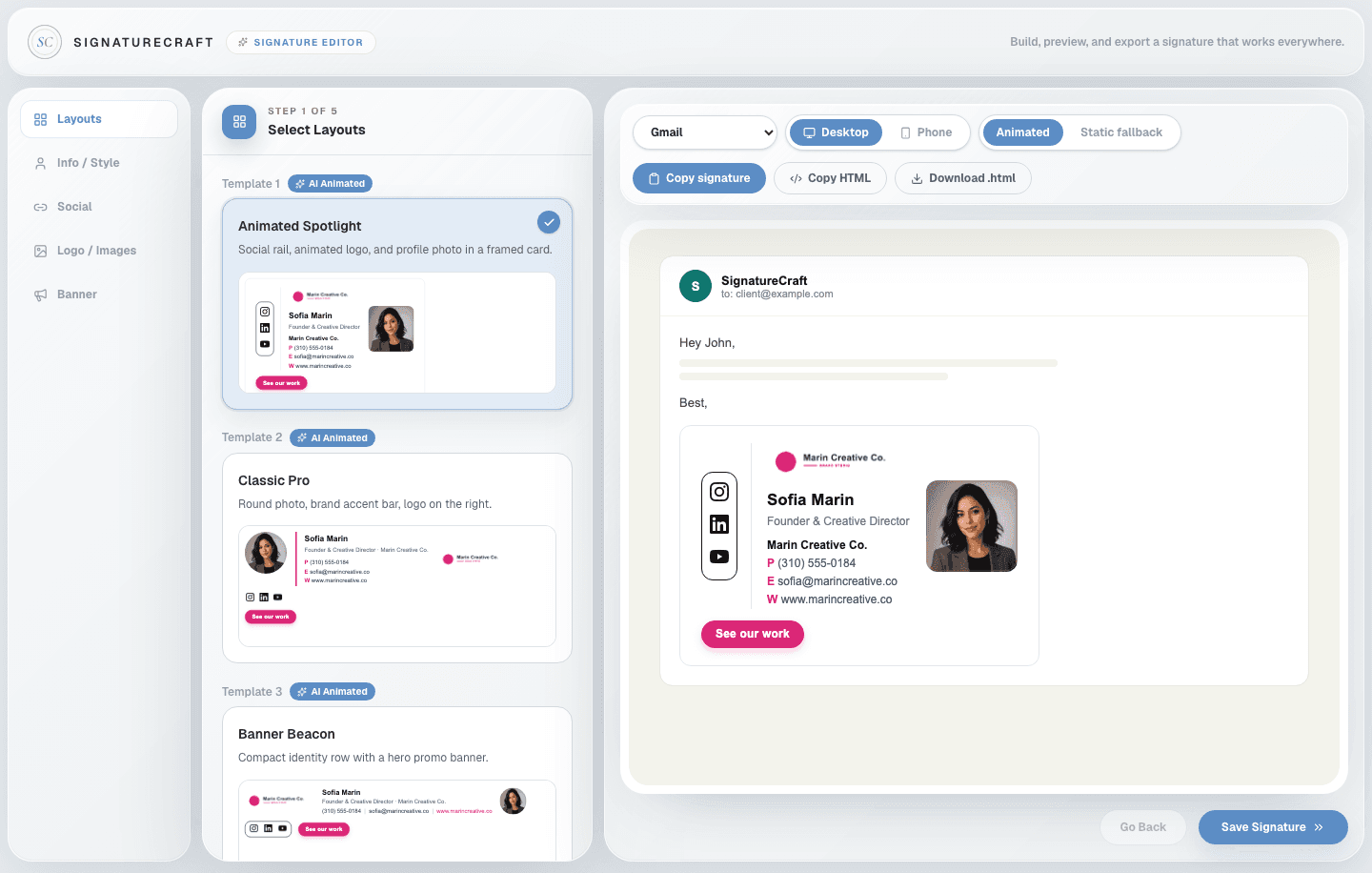
Every signature here is rendered by the same engine that builds yours — animation, links, and Outlook fallback included. Click any one to start from it.
No designer and no waiting. Build it yourself and watch the animation live before you pay a cent.
Animated Spotlight
Classic Pro
Banner Beacon
Start from a layout designed for email — social rail, classic card, or banner-first. Every one supports animation.
Social icons
 LinkedIn
 Instagram
 Facebook
Brand color
Add your name, links, brand colors, logo, and photo. The live preview animates as you type — what you see is what lands in the inbox.

Sofia Marin
Mailchimp
Installed in 3 apps
Copy your finished signature straight into Gmail, Outlook, or Apple Mail with our step-by-step guides. Done in minutes.
Free to build. Pay once to export and install.
Tested in Gmail, Outlook and Apple Mail. Pastes into most CRMs and help desks that accept an HTML signature.
 Gmail
Gmail Apple Mail
 Outlook
 HubSpot
 Zoho
Zoho monday CRM
 Close
Close Front
FrontReal email HTML, built to the rules inbox apps actually follow — so it looks right wherever it lands.
Every plan is a single payment. Grab one signature for $9.99, or go Pro for unlimited edits and re-downloads across your team.
$9.99 one-time
One signature, one payment. Perfect for individuals.
$39 one-time
Perfect for freelancers and small businesses.
$99 one-time
Perfect for growing companies.
One-time payment · No monthly subscription · Instant download · Secure checkout via Stripe
Straight answers on compatibility, pricing, and what happens after you pay.
Still unsure? Try the editor free — no card needed.
No — and we won't tell you it does. Animated GIFs play in many email apps, but not all of them. Every animated signature includes a professional static fallback so it still looks polished where animation isn't supported.
Yes. Signatures are built and tested for Gmail specifically, and you get a Gmail install guide with your signature.
Yes. Outlook has its own quirks around image handling, which the templates account for, plus there's a dedicated Outlook install guide.
Mobile mail apps are more limited than desktop. Your signature is built to degrade gracefully — layout and links still work, animation support just varies more on mobile.
Yes. Open the editor, pick a template, and build your full signature with the live animated preview — no account, no card. You only pay when you want to export and install it.
The templates output clean, lightweight table-based HTML with hosted assets. No JavaScript, no forms, no tracking pixels by default.
A Signature License lets you create one person's animated email signature. The One-Time plan covers a single finished signature download; Pro and Business include unlimited edits and re-downloads.
No. Each person needs their own Signature License. One-Time includes 1, Pro includes 3, and Business includes 10 — add more anytime by upgrading.
No. Every plan is a one-time purchase with lifetime access. There is no subscription and no recurring fee.
Yes. You can purchase additional Signature Licenses at any time by moving up to a larger plan — you keep the signatures you've already created.
On Pro and Business, yes — come back to the editor any time, adjust your details, and re-download. The One-Time plan covers your finished signature as a single download.
Yes. Buy the plan with enough Signature Licenses for your team — Pro covers up to 3 people and Business covers up to 10 — then build each person's signature in the editor.
Yes. Upload your logo in the editor and turn it into a subtle animated GIF, with a matching static fallback generated automatically for email apps that don't support motion.
Instant export: copy the signature straight into your email app, copy the raw HTML, or download it as a file — plus install guides for Gmail, Outlook, and Apple Mail.
Yes. Booking links, review links, and promo CTAs are all built into the editor.
Build it free and watch it move before you pay. One payment from $9.99 — no subscription.